Visual Workflow Editor
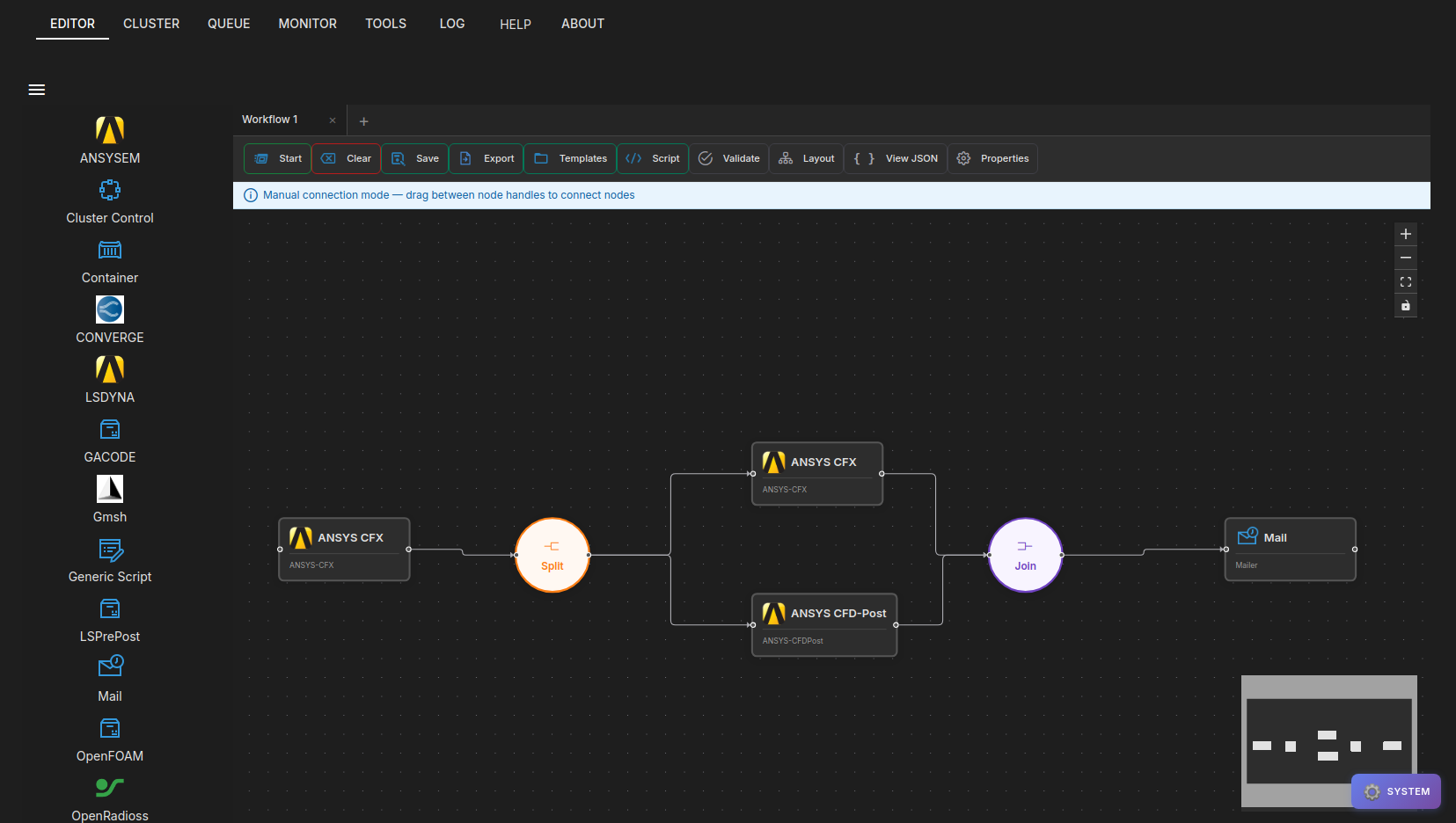
The HPCBOX Workflow Editor provides a drag-and-drop canvas for building HPC workflows. Each step in a workflow represents an HPC application (solver, mesher, post-processor, etc.) and the connections between steps define the execution order.
Highlights
Drag-and-Drop Canvas
Applications are listed in the sidebar, organized by category (CFD, FEA, Visualization, etc.). Drag an application onto the canvas to add it as a workflow step, then connect steps by drawing edges between them.
Step Configuration
Click on any workflow step to open its properties panel. Each application has its own set of configurable options — working directory, CPU cores, input files, solver commands, and more.
Multi-Tab Editing
Work on multiple workflows simultaneously with tabbed editing. Each tab runs independently with its own canvas, step configurations, and execution state. A configurable limit controls the maximum number of concurrent workflow tabs.
Workflow Execution
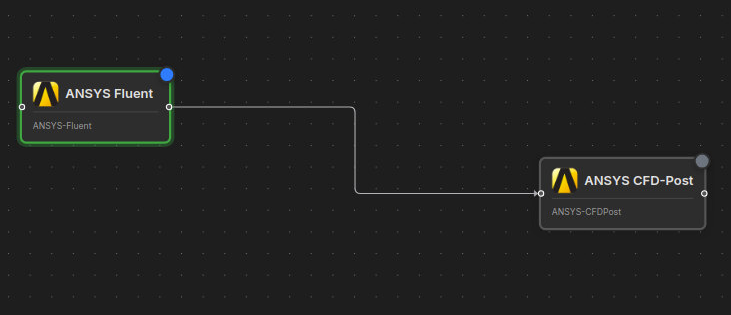
Start a workflow directly from the editor. Each step's status is shown in real time on the canvas with colored indicators — pending (gray), running (blue/pulsing), completed (green), or error (red).
Additional Features
- Auto-Layout — automatically arrange nodes in a clean left-to-right grid
- Dark Mode — persisted across sessions
- Clone & Delete — duplicate a step with its options, or remove a step and auto-bridge connections
- Save / Load / Export / Script — save as templates, export files, or generate bash scripts

Supported Applications
HPCBOX ships with built-in support for a wide range of HPC applications. Administrators can also create custom application definitions using the Application Definition Builder.
| Category | Applications |
|---|---|
| CFD | OpenFOAM, ANSYS Fluent, ANSYS CFX, ANSYS ICEPAK, Star-CCM+, ConvergeCFD, SU2 |
| FEA | LS-DYNA, Abaqus, Siemens Nastran, Open Radioss |
| Electromagnetics | ANSYS EM (HFSS, Maxwell, etc.) |
| Pre/Post Processing | ANSYS CFD-Post, ANSYS Workbench, ParaFOAM, Paraview, GMSH, LS-PrePost, Abaqus Viewer |
| Utilities | Mailer, Generic Script, Cluster Control, Container |
Note that the above table is not an exhaustive list and only provided for reference of the type of applications generally supported on the HPCBOX platform.
For detailed usage instructions, see Creating HPC Workflows.